
If a number keeps calling you and you have no idea who it belongs to, you are not alone. Millions of people across Pakistan deal with unknown calls every single day — from suspected scammers, unrecognized contacts, or numbers that simply show up without context.
The good news is that Pakistan has a fairly solid infrastructure for checking SIM-related information. Between official government tools and services like DB Center, you can often find out quite a bit about who owns a number before you decide to call back or ignore it.
This guide explains every method available to check SIM owner details in Pakistan, how each one works, when to use which, and what to do when something feels off about a number that has contacted you.
Why People Need to Check SIM Owner Details in Pakistan
The reasons are more varied than you might expect. Yes, a lot of it is about catching scam calls — but that is only part of the picture.
Missed calls from unknown numbers. You missed a call, there is no message, and you do not recognize the number. Before calling back a stranger, you want to know who it is. This is probably the single most common reason people look up SIM ownership details in Pakistan.
Harassment and threatening messages. If someone is sending you threatening or harassing messages from a number you do not know, identifying that number is a necessary first step before approaching the authorities.
Verifying business contacts. Pakistan’s informal business culture means a lot of deals are struck over WhatsApp or direct calls. Before meeting someone or transferring money, confirming that their phone number is actually registered to the person they claim to be is basic due diligence.
Checking your own CNIC for unauthorized SIMs. Under PTA rules, a maximum of five SIMs can be registered per CNIC in Pakistan. If someone has registered a SIM in your name without your knowledge, that is identity misuse — and catching it requires knowing how to check.
Fraud and online shopping scams. Pakistan’s e-commerce space has grown fast, and so has the number of fake sellers who operate through mobile numbers. Knowing how to check a number before transferring payment can save you from a bad experience.
Understanding How SIM Registration Works in Pakistan
Before getting into the how-to of checking SIM owner details, it helps to understand the system you are working with.
In Pakistan, all SIM cards must be registered using a biometric verification system. When you walk into a Jazz, Telenor, Zong, or Ufone franchise to get a new SIM, your CNIC is required, and your fingerprint is scanned against NADRA’s database. The SIM is then officially registered to your identity.
This system, rolled out by PTA starting around 2012, was designed to reduce crime, terrorism, and fraud linked to unregistered phone numbers. It has been largely effective — Pakistan now has one of the more traceable SIM registration systems in South Asia.
The result is that every SIM legally sold in Pakistan is tied to a real CNIC. Which means, in theory, every number has an identifiable owner. Whether that information is publicly accessible is a different question — and the answer is: partially, and through specific channels.
Method 1: Check Your Own SIM Registrations via PTA
This is the first check everyone in Pakistan should do, regardless of whether they are dealing with an unknown caller or not.
Send your CNIC number (without dashes) to 668 via SMS.
Within a few seconds, PTA will send back a list of all SIM cards currently registered against your CNIC. The reply includes the network name and the registered phone number for each SIM.
Why does this matter when you are trying to check someone else’s number? Because it tells you a great deal about how SIM ownership works in the system, and it also helps you verify whether a particular number you are checking is active and on a registered account.
If you receive a reply showing numbers you do not own or recognize, those SIMs may have been registered fraudulently using your identity. In that case, you can report them directly to PTA at their official helpline or email, or visit a franchise of the relevant network to initiate a deregistration.
The 668 service operates 24 hours a day, works on all networks, and charges a small SMS fee.
Method 2: Use the PTA Web Portal for Number Verification
PTA’s official website at pta.gov.pk has a device and SIM verification section. While its primary function is for checking whether a handset is DIRBS-compliant (registered for lawful use), the portal also serves as a useful touchpoint for understanding Pakistan’s telecom registration infrastructure.
For SIM-specific queries — including reporting unauthorized SIM registrations or checking whether a number has been reported as spam — PTA’s complaint portal is the right destination. You can file complaints about specific numbers, and PTA’s investigation system follows up, particularly on numbers involved in harassment or fraud.
This is not an instant lookup in the traditional sense. You will not type a number and immediately get back an owner’s name. But for serious matters — sustained harassment, fraud, or threats — the formal complaint route is both effective and documented.
Method 3: Contact the Telecom Operator Directly
Each major network in Pakistan — Jazz, Telenor, Zong, Ufone, and SCO — has a customer service infrastructure. If you have a legitimate reason to inquire about a number on their network, reaching their helplines is an option.
Jazz: 111 or 0300-1111111 Telenor: 345 (from Telenor) or 0345-1111111 Zong: 310 (from Zong) Ufone: 333 (from Ufone) SCO: varies by region
Telecom operators will not hand over a stranger’s personal registration details to just anyone — and they should not. Data protection considerations apply here, and operators follow PTA’s guidelines on this. However, if you are reporting a specific number for harassment or fraud, they have internal escalation teams that can take action, including blocking a number or flagging it for investigation.
If you are a business owner trying to verify a supplier’s number, or dealing with a scam call that targeted your organization, the operator’s business support lines tend to be more responsive than the standard consumer helpline.
Method 4: NADRA Verisys for Identity Cross-Checking
NADRA’s Verisys portal at verisys.nadra.gov.pk is the government’s official identity verification system. While it is primarily designed for CNIC verification rather than phone number lookup, the two are closely linked.
Here is the practical connection: if someone has given you both their CNIC number and their phone number — such as in a business deal or a rental agreement — you can use Verisys to confirm that the CNIC is valid and that the name on it matches what they told you. You can then separately check whether the phone number they gave you is likely registered to that same person through telecom channels.
This cross-reference approach — checking both the ID and the phone together — is how many experienced property agents, HR managers, and small business owners in Pakistan protect themselves from identity fraud. Neither tool alone gives the complete picture, but together they significantly reduce the risk.
Verisys is freely available for basic checks. For high-volume or commercial use, NADRA offers a paid API integration that businesses can subscribe to.
Method 5: DB Center for Reverse Phone Lookup
This is where things get particularly useful for the original question: you have a number, and you want to know who called.
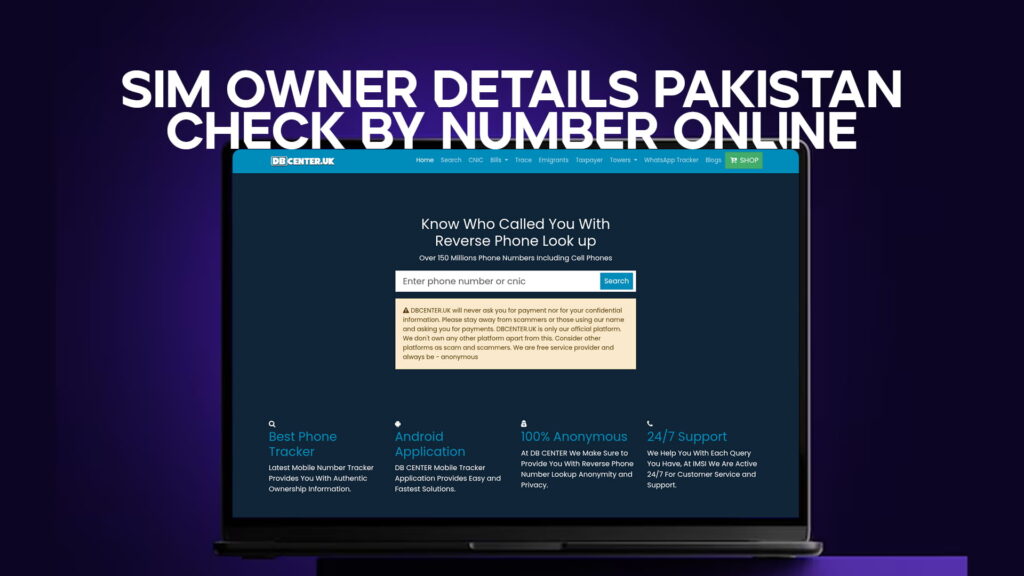
DB Center is a reverse phone lookup service with a database of over 150 million phone numbers, including mobile numbers. The way it works is straightforward — you enter a phone number, and the system searches its records to return information about who the number is linked to. Results can include a name, general location, and carrier information depending on what is available in the database.
For Pakistani users, this is genuinely helpful in several situations:
You received a call from a number you do not recognize, and the caller left no message. Rather than guessing or calling back blindly, you can run the number through DB Center first.
You are getting calls from a number that feels suspicious — someone claiming to be from your bank, from NADRA, or from a courier company. Scam callers in Pakistan often use local numbers or ported international numbers to appear legitimate. DB Center can help identify whether the number has any red flags before you respond.
You received a WhatsApp message from an unknown number asking for personal information. Running the number through a reverse lookup gives you an independent data point on who it might be.
DB Center works best as a verification layer on top of official Pakistani channels, not as a replacement for them. For numbers with confirmed harassment or fraud, formal channels through PTA and the operators are still the right escalation path. But for the everyday situation of “who is this number,” DB Center is fast, accessible, and covers an enormous range of numbers including cell phones.
What Information Can You Realistically Get?
People sometimes expect that looking up a SIM owner’s details will give them a full name, photo, home address, and CNIC number all in one place. That is not how it works — and for good reason.
What official Pakistani channels give you: confirmation of how many SIMs are registered to your own CNIC, the ability to verify that a CNIC is valid, and escalation routes for harassment and fraud complaints.
What a reverse phone lookup service like DB Center gives you: a name or business associated with a number (where available), the general region the number originates from, and carrier information.
What you will not find through any legitimate channel: a stranger’s full CNIC details, their home address, or their private financial information. This data is protected, and any service claiming to provide it without authorization should be treated with serious skepticism.
The distinction matters because it sets realistic expectations and keeps you focused on the right tools for the right questions. For most everyday situations — unknown caller, suspicious message, unverified business contact — the combination of PTA’s SMS service, NADRA’s Verisys, and DB Center covers the bases well.
How to Report a Suspicious or Fraudulent Number in Pakistan
Knowing how to check is only half of it. Knowing what to do when you find something problematic is the other half.
Report to PTA. PTA has an online complaint portal and a helpline (0800-55055) for telecom-related issues. If a number is being used for harassment, scam calls, or unsolicited marketing, file a complaint. PTA takes enforcement action, particularly on numbers generating large volumes of complaints.
Report to FIA’s Cybercrime Wing. If the issue involves financial fraud, online threats, or blackmail, the Federal Investigation Agency’s National Cyber Crime Reporting Portal (NR3C) at nr3c.gov.pk is the right place. They handle cases that go beyond telecom and into criminal territory.
Contact your bank. If someone called you pretending to be from your bank and you shared any information, call your bank’s fraud line immediately. Pakistani banks have 24-hour fraud helplines and can freeze transactions if needed.
Inform NADRA. If you believe someone is using a SIM registered under your CNIC without your permission, this needs to be reported to NADRA so they can flag your identity record and initiate an investigation.
Tips for Staying Safe from SIM-Related Fraud in Pakistan
A few practical habits can significantly reduce your exposure to SIM fraud and phone-based scams:
Check your SIM registrations at least twice a year using PTA’s 668 SMS service. It takes thirty seconds and can catch unauthorized registrations before they are used against you.
Never share your CNIC number, OTP, or banking PIN over a phone call, regardless of who the caller claims to be. NADRA, banks, and PTA will never ask for these over an unsolicited call.
If you lose your phone, report it to your network operator immediately and request a SIM block. An unblocked SIM in someone else’s hands can be used for two-factor authentication fraud.
Use DB Center as a first check when an unknown number contacts you with urgency — urgency is a classic scam tactic, and a quick reverse lookup can give you a moment of pause before you respond.
When selling or giving away an old SIM, formally deregister it through your network operator rather than simply discarding it. An old SIM is still linked to your CNIC until it is officially closed.
Not through any single, instant, publicly available system. NADRA and PTA hold registered SIM data, but access to that data for individual public queries is restricted. What you can do is verify your own SIM registrations, file formal complaints about specific numbers with PTA, and use a reverse phone lookup service like DB Center to check what information is publicly associated with a number. For serious cases involving fraud or threats, law enforcement with proper authorization can access full registration details.
Looking up a number through publicly available tools like DB Center is legal. Using officially available services like PTA’s 668 SMS or NADRA’s Verisys portal for identity checks is also legal. What is not legal is accessing protected telecom or government databases without authorization, or using any information obtained to harass, threaten, or defraud someone. Pakistan’s Prevention of Electronic Crimes Act (PECA) 2016 criminalizes unauthorized data access and misuse of personal information.
As per PTA regulations, a maximum of five SIM cards can be registered to a single CNIC across all networks combined. If your CNIC check via SMS to 668 shows more than five, this is a violation and should be reported to PTA immediately. Biometric verification at franchises is mandatory for new SIM issuance, which means unauthorized SIM registration typically requires compromised CNIC data or internal fraud at a franchise level.
First, save evidence — screenshots of messages, call logs with timestamps. Then file a complaint with PTA through their online portal or call 0800-55055. If the threats are serious or involve extortion, file a complaint with FIA’s Cybercrime Wing at nr3c.gov.pk. In parallel, you can run the number through DB Center to gather any publicly available information about the caller, which may be useful when presenting your case to authorities.
Yes. DB Center’s database covers over 150 million phone numbers including mobile phones across multiple countries. While coverage depth varies by region, it is a legitimate reverse phone lookup tool that can return useful information on numbers including Pakistani mobile numbers where that data exists in publicly available records. It works best as a first-line check — fast, accessible, and useful for identifying known scam numbers or tracing the general origin of a call before deciding how to respond.
Final Thoughts
Checking SIM owner details in Pakistan is not one single step — it is a combination of the right tools used in the right order depending on what you need.
For your own SIM registrations, PTA’s 668 SMS service is the fastest and most reliable. For identity cross-checking on a specific person you are dealing with, NADRA’s Verisys covers the CNIC side. For unknown callers and numbers you receive out of nowhere, DB Center’s reverse phone lookup gives you a fast, accessible starting point without needing to go through formal channels.
None of these tools replace each other. They work better together, and the more you understand what each one does, the better equipped you are to verify identity, avoid fraud, and make informed decisions about the unknown numbers that land in your call log every day.
Pakistan’s telecom and identity infrastructure has improved considerably. Use it.